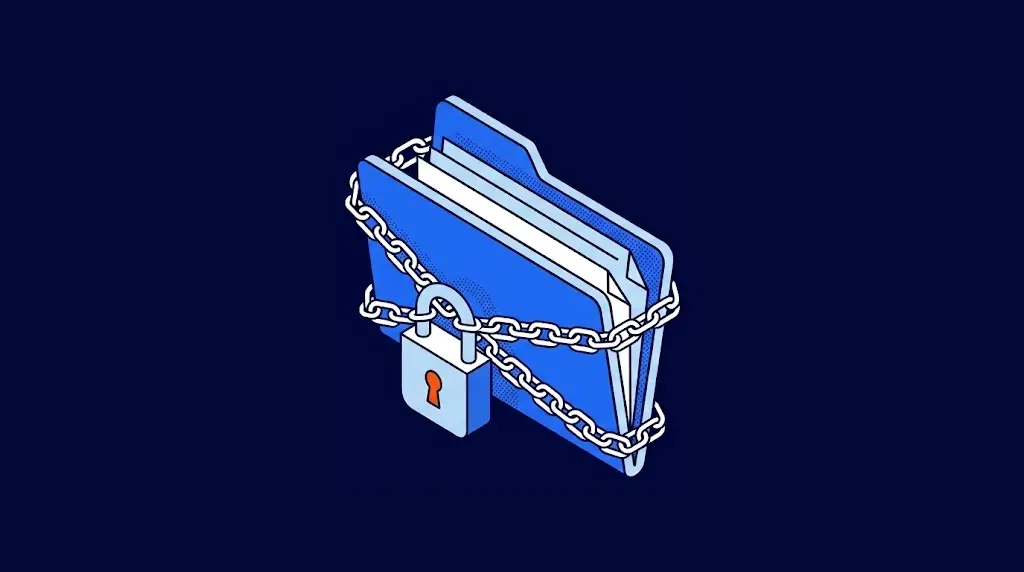
Ransomware is a type of malicious software that encrypts a company's information or locks its systems and demands a payment, almost always in cryptocurrency, in exchange for the key to recover them. Today most attacks also steal a copy of the data before encrypting it, so the attackers can threaten to publish it if the victim doesn't pay. It's the attack that most often brings operations to a halt: billing, production and email can become inaccessible within minutes.
More than half of attacks still manage to encrypt data: 56%, according to Sophos's State of Ransomware 2026 report, based on 2,158 IT leaders in 17 countries. The same study includes the figure that matters most for getting ready: 66% of companies whose data was encrypted recovered it from their backups.
What ransomware is and how it works
A ransomware attack is a lot like someone taking over a warehouse: they get in with a copy of the key, put their own padlock on every shelf and leave a note on the door with the price of the new key. In the modern version, before leaving they take a photo of your inventory and threaten to publish it if you don't pay. The program does the same thing with your company's information.
Technically, ransomware uses encryption: it turns each file into unreadable data that can only be recovered with a key the attacker holds. The encryption is the same kind that protects your online banking, so breaking it without the key isn't realistic. That's why the defense lies in keeping attackers out and having a way to recover, not in decrypting files afterward.
Types of ransomware
Attacks differ in what they do with your information and in who is behind them:
| Type | What it does | In the warehouse |
|---|---|---|
| Crypto ransomware | Encrypts files and databases and demands payment for the key. | A padlock on every shelf. |
| Double extortion | Steals a copy of the information before encrypting it and threatens to publish it. | The padlock, plus the photo of the inventory. |
| Locker ransomware | Locks access to the entire device without encrypting the files. It's less common in businesses today. | A padlock on the door only. |
| Ransomware as a service (RaaS) | One group develops the program and rents it to affiliates who carry out the attacks in exchange for a commission. | Someone who rents master keys to other thieves. |
Ransomware as a service explains why attacks have grown so much: you no longer need to know how to code to launch one. It also explains why victims include more than large enterprises: a midsize company with weak backups is a profitable target, and the impact goes far beyond the ransom, as we detail in our analysis of how much a ransomware attack costs.
Anatomy of an attack: from the first click to the ransom note
A ransomware attack doesn't happen in an instant. Encryption is the last step of a process that can last weeks. Here is the typical sequence at a logistics company with 120 employees:
- Day 1: the way in. Someone in purchasing opens an email that looks like it came from a supplier and types their password into a fake page. According to Sophos, malicious email and phishing are behind half of all attacks, followed by stolen credentials and unpatched vulnerabilities.
- Days 2 to 10: reconnaissance. With that account, the attacker explores the network: which servers exist, where the backups are, which accounts have the most permissions.
- Days 11 to 20: escalation. The attacker obtains an administrator account, disables antivirus wherever possible and copies sensitive information out of the network.
- Day 21: the backups. The attacker deletes or encrypts the backups it finds connected to the network.
- Day 22, at night: encryption. The attacker launches encryption on every device at once, when fewer people are around to notice. The next morning, every screen shows the ransom note.
The lesson is in the days in between. Between the initial access and the encryption there were three weeks of unusual activity: logins at odd hours, an account browsing servers it has no business on, antivirus being disabled. With continuous monitoring, any of those signals makes it possible to stop the attack before the last step; that is exactly how a security operations center (SOC) works.
Ransomware attacks that left a mark on businesses
Three public cases sum up almost everything you need to know. Each one came in through a different door.
WannaCry (2017)
It infected more than 200,000 computers in about 150 countries within a few days, from hospitals to factories. It got in through a Windows flaw that Microsoft had released a patch for two months earlier. The lesson: critical patches belong on a timeline measured in days.
Pemex (2019)
The DoppelPaymer group encrypted computers at the Mexican state oil company and demanded 565 bitcoins, about 4.9 million US dollars. Pemex didn't pay, and part of the stolen information was eventually published. The lesson: with double extortion, refusing to pay doesn't prevent the leak, which is why prevention and the protection of sensitive data matter as much as recovery.
Colonial Pipeline (2021)
The largest fuel pipeline in the United States shut down its operations for several days. The attackers got in with the password of an old VPN account that had no second factor. The company paid about 4.4 million US dollars; the FBI later recovered part of it. The lesson: a single forgotten account without a second factor is enough to stop an entire operation. We summarize what to require of every account in our secure password policy guide.
How to prevent a ransomware attack
In the warehouse, the thief's padlock is useless if you have a copy of the entire inventory in another building, and the door won't open with a stolen key. This checklist covers both:
- ☐ Backups that can't be deleted or modified, with one copy outside your network and a restore test every quarter.
- ☐ A second factor on email, remote access and every administrator account.
- ☐ No remote desktop exposed to the internet: remote access only through a VPN or a controlled access gateway.
- ☐ Critical patches within days, starting with internet-facing systems.
- ☐ EDR (endpoint detection and response) on computers and servers, which detects encryption behavior even when the program is new.
- ☐ A firewall with strict rules between network segments, so one infected device can't reach all the others. We explain how it helps in 5 ways a firewall blocks a ransomware attack.
- ☐ 24/7 monitoring, to spot the weeks of activity that come before encryption.
- ☐ Phishing awareness training with real examples from your industry.
Should you pay the ransom?
It's the first question any leadership team asks on the day of the attack. The FBI recommends not paying, and the data helps explain why:
| What the attacker promises | What happens in practice |
|---|---|
| You pay and get everything back. | Paying doesn't guarantee you'll receive a key that works, or that it will work on every file. |
| You pay and your data isn't published. | The information has already left your network; there's no way to verify it gets deleted. |
| You pay and the problem is over. | The payment funds new attacks and marks your company as one that pays. |
| If you don't pay, you lose your information. | With protected backups, two out of three companies recover their data without relying on the attacker. |
Even so, 48% of companies whose data was encrypted paid, according to Sophos, usually because they had no usable backups. The real decision is made months before the attack, when you decide how to protect your backups. If it has already happened, these are the first steps:
- Disconnect the affected devices from the network without shutting them down, to stop the spread and preserve evidence.
- Activate your response plan and call your security provider; don't try to clean the devices on your own.
- Check which backups are still clean before restoring, so you don't reload the malicious program.
- Consult your legal team before any contact with the attackers, and assess whether you need to notify customers whose personal data was affected.
- Report the attack to law enforcement; in the United States, that means the FBI.
Getting back up and running is the other half of the work, and you prepare for it with a tested disaster recovery plan (DRP).

Frequently asked questions about ransomware
The word combines ransom and software. It names programs that hold information or systems hostage in order to charge for releasing them.
According to Sophos, recovering from an attack cost an average of 1.7 million US dollars in 2026, not counting the ransom: hours of halted operations, staff time, equipment and reputation.
Only partly. Traditional antivirus stops known malicious programs, but many attacks use new variants or legitimate system tools. An EDR watches how the device behaves and can stop encryption even if the program isn't on any list.
Yes, if you have backups the attacker didn't manage to delete. For some older variants, security companies and authorities have also published free decryptors. The reliable route is protected backups, like the ones in our cloud backup service.
Many policies do, but insurers increasingly require more controls before issuing a policy or paying a claim: a second factor, tested backups, endpoint protection and a response plan. Without them, coverage can be reduced or denied.
Reporting it to law enforcement is recommended; in the United States, that means the FBI. If the attack exposed personal data of customers or employees, data breach notification laws, such as US state breach laws or the GDPR in Europe, may require you to inform the people affected, so review it with your legal team from day one.